The short answer
A Microsoft 365 suite is a fixed bundle of separately named services: Exchange Online, SharePoint, OneDrive, the Office apps, Intune, Entra ID, Defender and so on, each at a specific plan level. Business Premium is the bundle most small businesses should be on because it includes the security and device management services the others leave out. Add-on suites such as the Defender Suite only work on top of Business Premium, Business plans are capped at 300 users, and buying the components separately almost always costs more than the suite that contains them.
In this guide
What a suite is, and why the page exists
Microsoft does not really sell "Microsoft 365". It sells dozens of individual online services, each with its own licence and often its own plan number: Exchange Online Plan 1, SharePoint Online Plan 1, Microsoft Intune Plan 1, Microsoft Entra ID P1, Defender for Office 365 Plan 1, and so on. A suite is a bundle of those services sold under one name and one price.
That matters because the suite name tells you nothing about what is inside. Two plans can both say "Microsoft 365" and differ by six services. So Microsoft publishes a licensing guidance page, Subscription suites, that is simply a set of tables: suites down the side, services across the top, a tick where a service is included. It covers the enterprise, frontline, business, education and government suites. It is dry, it is authoritative, and it is the page a reseller should be reading before quoting you.
Microsoft's own caveat on it is worth repeating: the page is guidance, and the licensing agreement you sign is what actually governs your rights.
The Business suites: what each one contains
The Business suites are the ones for organisations up to 300 users. Above that you are into the Enterprise suites (E3, E5), which is a different conversation.
| Service | Business Basic | Business Standard | Business Premium | Apps for business |
|---|---|---|---|---|
| Exchange Online Plan 1 (email, 50 GB mailbox) | Yes | Yes | Yes | No |
| SharePoint Online Plan 1 and OneDrive Plan 1 | Yes | Yes | Yes | OneDrive only |
| Microsoft Teams | Yes | Yes | Yes | No |
| Microsoft 365 Apps for business (desktop Office) | No, web and mobile only | Yes | Yes | Yes |
| Microsoft Intune Plan 1 (device management) | No | No | Yes | No |
| Microsoft Entra ID P1 (conditional access, identity protection basics) | No | No | Yes | No |
| Microsoft Defender for Business (endpoint protection) | No | No | Yes | No |
| Microsoft Defender for Office 365 Plan 1 (Safe Links, Safe Attachments) | No | No | Yes | No |
| Purview Data Loss Prevention | No | No | Yes | No |
| Azure Information Protection Premium Plan 1 (sensitivity labels) | No | No | Yes | No |
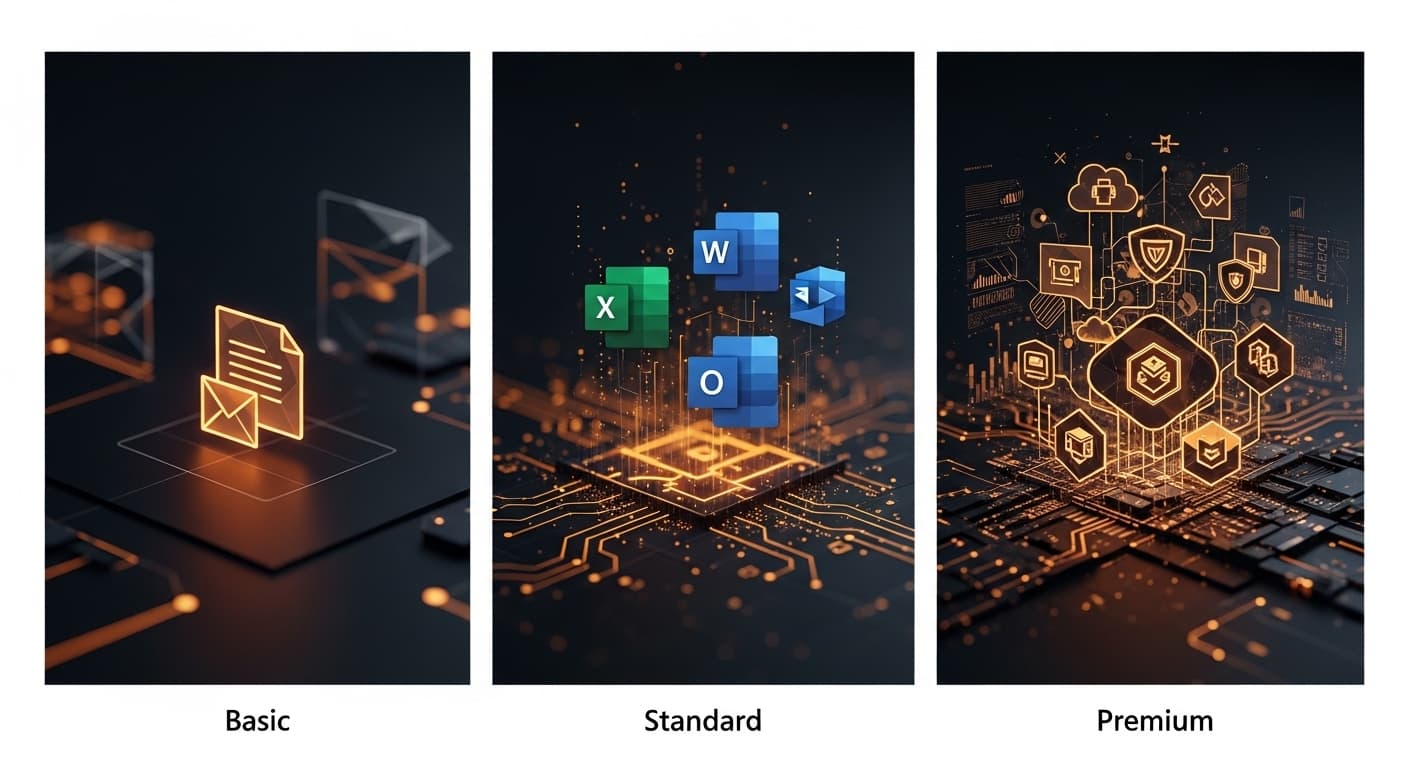
Read down the Business Premium column and the pattern is obvious. Basic and Standard are email, files and Office. Premium is those plus the entire security and device-management layer. That layer is what Cyber Essentials, cyber insurers and most client due-diligence questionnaires are asking about, and it is the reason we recommend Premium as the baseline for almost every business we support. The licensing and security guide goes into the prices and the reasoning.
Two things people miss in the table. Teams now comes in versions with and without it, because Microsoft unbundled Teams for regulatory reasons, so make sure the SKU you are quoted is the one you mean. And "Apps for business" is Office and OneDrive only: no email, no Teams. It exists for the person who needs Word and Excel and already has their email somewhere else.
The add-on suites: what they contain and what they need
The Business suites have their own add-on suites, and this is where the base-licence rule bites. Microsoft's page states that the Defender and Purview suites for Business Premium require Microsoft 365 Business Premium. They do not attach to Standard or Basic. A quote that pairs Business Standard with the Defender Suite is a quote from someone who has not read the page.
Microsoft Defender Suite for Business Premium. On the suites page this adds Defender for Office 365 Plan 2, Defender for Identity, Defender for Cloud Apps and Defender for IoT (enterprise IoT). Microsoft's documentation for adding the suite also describes the upgrade of endpoint protection to Defender for Endpoint Plan 2 and identity to Entra ID P2. In practice it turns the "Plan 1" security in Premium into the "Plan 2" tooling used by larger organisations: automated investigation, threat hunting, risk-based sign-in policies, control of admin rights, and visibility of cloud app use. Our Defender Suite page covers what that means day to day and how we monitor it.
Microsoft Purview Suite for Business Premium. Adds Azure Information Protection Premium Plan 2, and the E5-level information protection and governance, insider risk management, and eDiscovery and audit capabilities. This is for businesses with a regulator or a litigation risk that needs records kept, found and proved: legal, financial services, some healthcare. Most 30-person businesses do not need it.
Copilot bundles. Microsoft also sells Business Standard and Business Premium with Copilot included. They are the same suites plus the Microsoft 365 Copilot Business add-on, priced as one line. The Copilot readiness page has the current UK prices and who should have a licence.
Beyond the Business suites: Enterprise, Frontline and EMS
Past 300 users, or in organisations that buy through an enterprise agreement, the Business suites stop and these begin. You will also meet them when a larger customer or parent company asks what you are on. The same page lists them; here is the shape.
Office 365 (the "O" suites): productivity only, no device or identity security.
| Suite | Email and files | Office apps | Extras |
|---|---|---|---|
| Office 365 E1 | Exchange Online Plan 1, SharePoint Plan 1, OneDrive Plan 1 | Web and mobile only | Teams (where bundled) |
| Office 365 E3 | Exchange Online Plan 2 (100 GB mailbox, archiving), SharePoint Plan 2, OneDrive Plan 2 | Microsoft 365 Apps for enterprise | Purview data loss prevention, Defender for Office 365 Plan 1 |
| Office 365 E5 | As E3 | As E3 | Teams Phone Standard, full Audio Conferencing, Power BI Pro |
Microsoft 365 Enterprise (the "M" suites): Office 365 plus security and device management.
| Suite | Adds on top of Office 365 E3 |
|---|---|
| Microsoft 365 E3 | Intune Plans 1 and 2, Entra ID P1, Defender for Endpoint Plan 1, Azure Information Protection Premium Plan 1, plus Windows Enterprise in Microsoft's product terms |
| Microsoft 365 E5 | Everything in E3, then Defender for Endpoint Plan 2, Defender for Identity, Defender for Cloud Apps, Defender for IoT, Entra ID P2, Intune Endpoint Privilege Management and Enterprise Application Management, Microsoft Cloud PKI, Security Copilot, Azure Information Protection Premium Plan 2, the E5 information protection and governance, insider risk, eDiscovery and audit capabilities, Power BI Pro, Teams Phone Standard and full Audio Conferencing |
| Microsoft 365 E7 | Microsoft's newest tier. In Microsoft's words: "Microsoft 365 E7 includes Microsoft 365 E5, Microsoft Copilot, Microsoft Entra Suite, and Microsoft Agent 365." |
The relationship to the Business suites is simple once you see it: Microsoft 365 E3 is roughly Business Premium for large organisations (bigger mailboxes, Plan 2 storage, Windows Enterprise, no 300-user cap, and a higher price), and Microsoft 365 E5 is E3 with the Plan 2 security that the Defender Suite and Purview Suite add-ons bring to Business Premium.
Enterprise add-on suites. The Microsoft Defender Suite and the Microsoft Purview Suite for enterprise "require Microsoft 365 E3 (or Office 365 E3 and Enterprise Mobility + Security E3)". Same rule as the Business add-ons: the base licence has to be there on the same user.
Frontline Worker suites (F1, F3): for staff who do not sit at a desk. Warehouse, shop floor, care, hospitality, drivers. They are cheap because they are limited: Exchange Online Kiosk and SharePoint Online Kiosk (small mailboxes, no desktop Office), with Intune Plan 1, Entra ID P1 and Azure Information Protection Premium Plan 1 in Microsoft 365 F1 and F3, and only the Kiosk services in Office 365 F3. Microsoft 365 F5 add-ons "require Microsoft 365 F1, Microsoft 365 F3, or Office 365 F3 and Enterprise Mobility + Security E3 (K)". For a 40-person business with 15 people on the road, mixing Business Premium for the office and F3 for the field is a common and legitimate way to cut the bill, provided the field staff genuinely do not need desktop Office or a full mailbox.
Enterprise Mobility + Security (EMS E3, E5): the security layer sold on its own. EMS E3 is Intune Plans 1 and 2, Entra ID P1 and Azure Information Protection Premium Plan 1. EMS E5 upgrades those to Entra ID P2 and AIP Plan 2 and adds Defender for Identity and Defender for Cloud Apps. It exists so that an organisation on Office 365 E3 can add the security layer without moving to Microsoft 365 E3; the two together are the "or" in the add-on rule above.
Education (A1, A3, A5) and Government (G1, G3, G5). The same idea, priced and packaged for schools, universities and public bodies, with eligibility rules. If you are a charity, Microsoft's nonprofit programme offers discounted and donated versions of the Business and Enterprise suites; the suites themselves are the same.
Teams, again. Microsoft's note on the enterprise tables: "Users with M365 E5/E7 or O365 (no Teams)/EEA (no Teams) subscriptions require a separate Teams Enterprise/Teams EEA subscription to enable Teams Phone Standard and Audio Conferencing." In the UK, enterprise suites are sold without Teams and Teams Enterprise is a separate line; the Business suites are still available with Teams included. Check which you are being quoted.
The rules on the page that catch people out
- Base licence first. Add-on suites need the right base suite on the same user. Defender Suite for Business Premium needs Business Premium. The enterprise Defender and Purview suites need Microsoft 365 E3, or Office 365 E3 plus Enterprise Mobility + Security E3. An add-on assigned to a user without the base does nothing except cost money.
- 300 users. Business suites are limited to 300 users per organisation. A business heading past that has to move the excess, or everyone, to Enterprise suites. Plan the transition rather than discovering it at renewal.
- Defender for Business does not support mixed licensing. Microsoft states this plainly. If a tenant has Defender for Business (from Business Premium) alongside Defender for Endpoint (from an enterprise licence or a separate purchase), the tenant defaults to the Defender for Business experience. Mixing the two to save money on some users does not give those users the enterprise features.
- Teams and calling are separate decisions. Teams is available with or without the suite. Teams Phone and audio conferencing are always separate add-ons; Microsoft's note that enterprise users "require a separate Teams Enterprise subscription to enable Teams Phone Standard and Audio Conferencing" is the general shape of it. Our VoIP page covers when Teams calling makes sense.
- Names change. The Defender Suite was called "Microsoft 365 E5 Security for Business Premium" until late 2025. Office 365 E3 and Microsoft 365 E3 are different suites. If a quote uses a name you cannot find on Microsoft's page, ask for the current SKU name.
The four mistakes the page would have prevented
- Paying for the components separately. Business Standard plus Intune Plan 1 plus Defender for Business plus Entra ID P1 bought as separate lines costs more than Business Premium and is harder to administer. We see this on most tenants we take over.
- Mixing Basic and Standard by cost rather than by role. The question is not who needs desktop Office; it is who handles client data, works remotely or owns a company laptop. Those people need the Premium security layer regardless of whether they open Excel.
- Buying an add-on for a user on the wrong base. The Defender Suite assigned to a Business Standard user is a wasted licence.
- Assuming a feature is included because the brand name matches. "Defender", "Purview", "Entra" and "Copilot" each cover a family of products at different plan levels. The suites page is the only reliable way to know which level you actually have.
How we handle licensing for clients
We are a Microsoft partner and buy client licences through Giacom, a Microsoft distributor. Every quarter we review who is on what against what they actually do, release unused seats, move people between suites where the role has changed, and check add-ons are sitting on the right base licence. Licences are billed at the price on your quotation and shown as their own line, separate from the service fee, so you can see what the software costs.
If you would like your current tenant checked against the suites page, that is a normal part of a discovery call. Bring the last Microsoft invoice.
Not sure which of these applies to your business? Ask an engineer.
Book a Discovery CallFrequently asked questions
What is a Microsoft 365 subscription suite?
A fixed bundle of separately licensed Microsoft services sold under one name, for example Business Premium, which contains Exchange Online Plan 1, SharePoint and OneDrive Plan 1, Teams, the Office apps, Intune Plan 1, Entra ID P1, Defender for Business, Defender for Office 365 Plan 1, data loss prevention and sensitivity labelling. Microsoft's subscription suites page lists the contents of every suite.
Which Microsoft 365 suite should a small business be on?
For most businesses of 10 to 250 people, Business Premium, because it is the only Business suite that includes device management, identity protection and Defender. Basic suits people who only need email and Teams in a browser. Standard is email, files and Office with no security layer.
Can I add the Defender Suite to Business Standard?
No. Microsoft's page states that the Defender Suite for Business Premium and the Purview Suite for Business Premium require Business Premium. The add-on does nothing on a Standard or Basic user.
What is the 300-user limit?
Business Basic, Standard and Premium are limited to 300 users per organisation. Beyond that, users have to be on Enterprise suites such as Microsoft 365 E3 or E5, which are priced and structured differently.
What does 'Defender for Business does not support mixed licensing' mean?
If one tenant has some users on Defender for Business (from Business Premium) and others on Defender for Endpoint (from an enterprise licence), the tenant defaults to the Defender for Business experience for everyone. You cannot give a subset of users the enterprise features by licensing only them.
Is Copilot included in any suite?
Copilot Chat is included with the Business suites at no extra cost. The full Microsoft 365 Copilot inside the Office apps is a paid add-on, also sold pre-bundled as Business Standard with Copilot and Business Premium with Copilot.
Check your licences against the page
We will map every user in your tenant to the suite they are on, show what they are actually using, and tell you where you are paying twice, under-protected, or holding an add-on on the wrong base.
- Every user and their current suite and add-ons.
- Where components are being bought separately that a suite would include.
- Who needs Premium and who genuinely does not.
- What the corrected licensing costs, per month.
Sources
Prices and product facts on this page were checked against the following Microsoft pages on the dates shown.
- 1.Microsoft: Subscription suites licensing guidance · accessed 24 September 2026
- 2.Microsoft Learn: Add Microsoft Defender Suite to Business Premium · accessed 24 September 2026
- 3.Microsoft Learn: Microsoft 365 for business security overview · accessed 24 September 2026
What has changed on this page
- 24 September 2026Enterprise (Office 365 E1 to E5, Microsoft 365 E3, E5 and E7), Frontline (F1, F3) and EMS suites added, with the enterprise add-on and Teams rules.
- 24 September 2026Page published, based on Microsoft's subscription suites licensing guidance as at September 2026.
More guides
- Microsoft 365 & CloudMicrosoft 365 Licensing Explained: Basic vs Standard vs Premium, and Why Most Businesses Never Switch the Security On
- Microsoft 365 & CloudMicrosoft 365 Copilot for Business in the UK: What It Costs, Who It Helps, and How to Set It Up Safely
- Microsoft 365 & CloudMicrosoft 365 Backup: What Microsoft Keeps, What It Doesn't, and What You Need