A UK company recently discovered that hackers had stolen children's data, all because an old, forgotten account was protected by the password 'Password1'. The incident, reported by the BBC on 21 October 2026, serves as a stark reminder that cyber criminals do not always need sophisticated tools to bypass your defences. Often, they simply look for the doors that were left unlocked years ago. For any business owner, this story is a prompt to check the basics of password security for UK SMEs and ensure that old accounts are not acting as a silent gateway into your network.
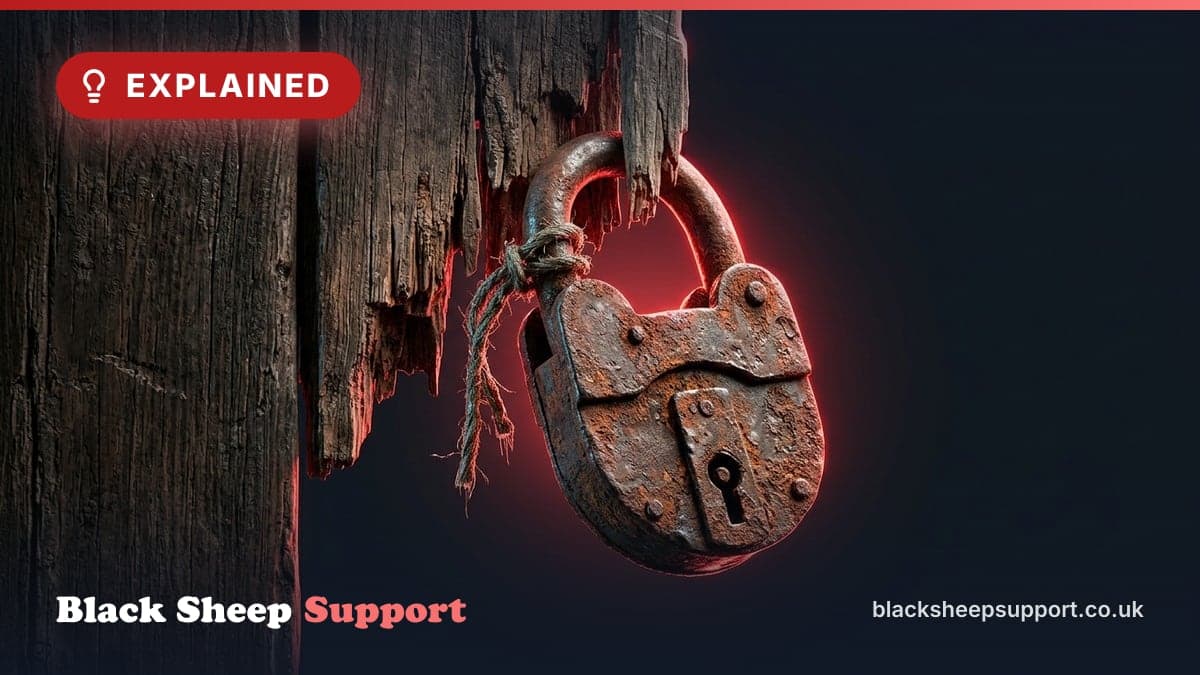
Using 'Password1' as a security measure is like locking your front door with a piece of wet string: it looks like a lock from a distance, but it won't stop anyone who actually tries the handle. In this instance, the breach involved highly sensitive information, demonstrating that the age of an account does not diminish the value of the data it can access. If an account still exists and is connected to your environment, it is a potential entry point.
The financial aftermath for a 30-person UK firm
When a breach like this occurs, the costs are rarely limited to a simple IT fix. To understand the scale, let us model a scenario for a typical 30-person professional services firm that suffers a similar incident.
Firstly, there is the immediate forensic investigation. You need to know exactly what was taken and how. A specialist firm might charge upwards of 8,000 GBP for a thorough audit. Then come the legal fees. Under UK GDPR, you have a legal obligation to report certain types of breaches to the Information Commissioner’s Office (ICO) within 72 hours. Navigating this process with a solicitor can easily cost 5,000 GBP.
Then there is the staff downtime. If your systems need to be taken offline or passwords reset across the board, productivity stops. If 30 staff members are unable to work effectively for three days while the mess is cleared up, and their average cost to the business is 25 GBP per hour, you are looking at a loss of over 16,000 GBP in billable time or operational output. Before you have even considered the potential ICO fine or the cost of notifying affected clients, the bill has already reached 29,000 GBP. For many SMEs, this is not a manageable sum.
Why legacy accounts are a magnet for hackers
A pattern we see on most tenants we take on is the presence of 'zombie' accounts, active logins for staff who left months or years ago, often with no multi-factor authentication (MFA) and passwords that haven't been changed since the account was created. These accounts are a magnet for hackers because they are rarely monitored.
If a current employee's account is compromised, your security systems might flag an unusual login location or a sudden spike in file downloads. However, an old account that hasn't been used in three years might not trigger the same level of scrutiny. Hackers use 'credential stuffing', a technique where they take lists of leaked passwords from other breaches and try them against your domain. If they find an old account with 'Password1' or 'Summer2024!', they are in. Once inside, they can move laterally through your network, escalating their privileges until they reach your most sensitive data.
Five steps to clear out your 'zombie' accounts
You can significantly reduce your risk by taking a few practical steps to clean up your digital footprint. This is not about complex coding; it is about administrative discipline.
- Audit your active users: Go into your Microsoft 365 or Google Workspace admin centre and export a list of all active users. Cross-reference this with your current payroll. If someone is no longer on the payroll, their account should be disabled and eventually deleted.
- Enforce MFA everywhere: Multi-factor authentication (where you approve a login on your phone) stops 99% of bulk password attacks. If that 'Password1' account had MFA enabled, the hacker would have been blocked despite knowing the password. Ensure MFA is mandatory for every single user, with no exceptions for directors or 'legacy' accounts.
- Check for 'Service Accounts': Often, accounts are created to link two pieces of software (like a printer or an old CRM). These are frequently set up with weak passwords and forgotten. Identify these and ensure they have complex, unique passwords.
- Review your offboarding process: Security starts and ends with people. When a staff member leaves, revoking their IT access should be as high a priority as collecting their office keys. We recommend a secure staff onboarding and offboarding checklist to ensure nothing is missed.
- Use a Business Password Manager: Encourage staff to use a password manager. This removes the temptation to use easy-to-guess passwords like 'Password1' or reuse the same password across multiple sites. It allows them to generate complex strings that are impossible to guess but easy to access securely.
The ICO's view on 'Password1' and basic security
The Information Commissioner’s Office (ICO) is increasingly unsympathetic towards businesses that fail to implement basic security measures. Under UK GDPR, you are required to have 'appropriate technical and organisational measures' in place to protect personal data.
The ICO has explicitly stated in past rulings that using easily guessable passwords or failing to implement MFA on accounts that access sensitive data can be seen as a failure to meet these requirements. If you are breached and the cause was a 'Password1' login on an old account, the ICO will likely view this as a preventable failing. This can lead to higher fines and a public reprimand that can be found by any potential client or partner searching for your business name.
Beyond the regulatory risk, there is the Cyber Essentials standard. Passing this certification requires you to prove that you have changed all default passwords and that you have a process for managing user access. If you cannot demonstrate this, you will fail the certification, which is increasingly a requirement for winning contracts in the public sector and with larger private firms.
Secure your perimeter by cleaning up the past
Cyber security is often portrayed as a high-tech battle of wits, but most breaches are the result of basic housekeeping failures. The 'Password1' incident is a perfect example. The company didn't need a million-pound firewall to prevent this; they needed a better offboarding process and a policy that forbade weak passwords.
We regularly help businesses identify these hidden risks. Whether it is through a Microsoft 365 security review or a broader audit of your IT estate, our goal is to find the 'wet string' locks before a hacker does. We also handle hardware, broadband, mobile and networking, ensuring that every part of your business infrastructure is built on a solid, secure foundation.
If you are worried that your business might have 'zombie' accounts or weak passwords lurking in the background
and we will help you map out a plan to secure your environment.
Not ready to talk yet? Run our free IT Health Check to assess your business risk and security posture. It takes 30 to 60 minutes with one of our engineers on a Teams call, or 15 to 20 minutes on your own, with no commitment. It is the quickest way to see if your business is protected or if you are one 'Password1' away from a headline you don't want.
Want this handled for you? See Cyber security services.
Based in Brighton or Hove? We are too: see IT support in Brighton.
Free, no sales call needed
Two free checks. Know where you stand.
Domain email check
Can someone send email pretending to be you? Is your real email landing in junk? Type your domain and find out in under a minute.
IT Health Check
A short set of questions that scores your security and business risk, and tells you what to fix first. 15 to 20 minutes on your own.