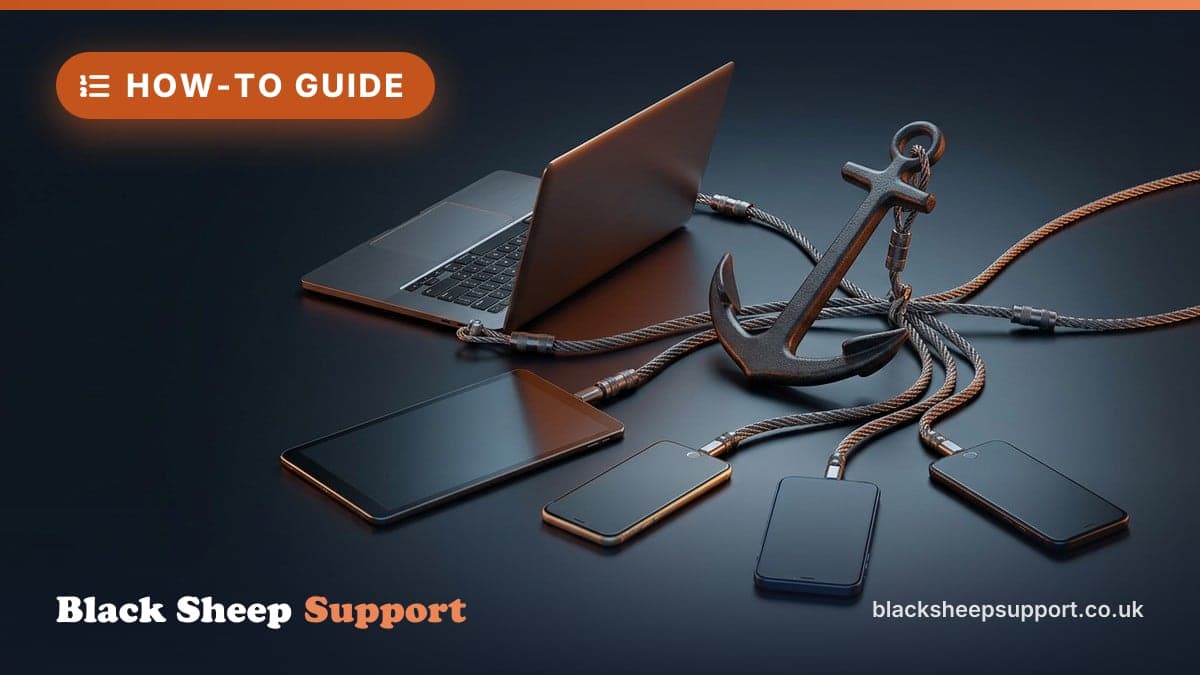
Microsoft Intune is a cloud-based service that lets you manage the devices your staff use for work, from laptops and desktops to mobiles and tablets. For a UK small business, it is the bridge between owning a fleet of computers and actually controlling what happens on them. Without it, you are relying on trust and manual checks to ensure that every laptop is encrypted, every phone has a passcode, and every departing employee no longer has access to your files.
We find that many SMEs already pay for Intune as part of their existing Microsoft subscriptions but have never turned it on. If you have Microsoft 365 Business Premium, you already have an Intune Plan 1 licence for every user. Leaving it unused is like paying for a high-end security system but never setting the alarm. This guide explains what Intune actually does, why it matters for your commercial risk, and how to roll it out without causing friction for your team.
What Intune actually means for your business
Intune is often described as Mobile Device Management (MDM), but that name is slightly misleading because it handles full-sized Windows and Mac computers just as well as it handles iPhones and Androids. It allows you to create a set of rules, called policies, and push them out to every device in your organisation over the internet.
There are two main sides to the platform. The first is Mobile Device Management (MDM). This is for company-owned kit. When a laptop is enrolled in MDM, the company has full control. You can enforce disk encryption, push out software like Microsoft Teams or Adobe Acrobat, and remotely wipe the entire machine if it is lost or stolen.
The second side is Mobile Application Management (MAM). This is specifically designed for the Bring Your Own Device (BYOD) culture. If a staff member uses their personal iPhone to check work emails, you likely do not want to manage their whole phone, but you do want to secure the work data inside the Outlook app. MAM lets you put a digital fence around work apps. It ensures that work data cannot be copied and pasted into personal apps, and it allows you to wipe just the work emails from that phone when the person leaves the company, leaving their personal photos and messages untouched.
Why device management matters commercially
From a business perspective, the value of Intune device management is about risk reduction and operational efficiency. If a staff member leaves a laptop on a train, the immediate concern is not the £800 hardware cost; it is the data breach risk. If that drive is not encrypted and the account is not protected by a strong PIN, your client list, financial data, and internal emails are effectively public. Under UK GDPR, this could be a reportable incident to the Information Commissioner's Office (ICO).
Intune also plays a critical role in Cyber Essentials certification. To pass, you must prove that all devices accessing your data are patched, have a firewall enabled, and use secure configurations. Doing this manually for twenty or thirty laptops is a recipe for human error. Intune automates the proof. You can run a report showing exactly which devices are compliant and which are missing an update.
There is also the matter of 'Shadow IT'. This is when staff use their own unmanaged devices or software to do work because the company kit is too restrictive or hasn't been set up properly. By using Intune to make company devices easy to use (for example, by pre-configuring Wi-Fi and VPN settings), you reduce the temptation for staff to move work data onto their personal, unprotected machines.
The financial impact: A worked scenario
Consider a typical 25-person professional services firm. Without Intune, onboarding a new starter usually involves an IT person or a manager spending two to three hours manually setting up a new laptop: installing Office, setting up the printer, configuring the antivirus, and ensuring the latest Windows updates are applied. At a conservative internal cost of £50 per hour, that is £150 per new hire just in labour.
When that person leaves, the process repeats in reverse. If the laptop is not returned promptly, or if the user has set a local password that nobody else knows, the hardware might sit in a drawer for months, effectively wasted.
With Intune and Windows Autopilot, the laptop is shipped directly from the supplier to the employee's house. The user logs in with their Microsoft 365 credentials, and the machine automatically configures itself in the background while they start work. This 'zero-touch' deployment saves the business the labour cost and ensures the device is secure from the first minute it is turned on. Over a few years of hiring and hardware refreshes, the time saved usually pays for the configuration of Intune many times over.
Zero-touch deployment with Windows Autopilot
Stage 1
Direct shipping
Supplier ships the laptop directly to the employee house
Stage 2
Cloud login
The user logs in with their Microsoft 365 credentials
Stage 3
Automatic setup
The machine configures itself in the background while they start work
Stage 4
Secure start
The device is secure from the first minute it is turned on
How a sensible Intune rollout looks
A pattern we see on most tenants we take on is that Intune is technically 'there' because the client has Business Premium, but it isn't actually doing anything. Turning it on all at once is a mistake that usually leads to staff being locked out of their email at 9:00 am on a Monday. We recommend a phased approach.
Phased Intune rollout plan
- 1Audit the fleetCheck current devices and licences before pushing any settings
- 2Set compliance policiesEnforce must-haves like BitLocker encryption and active firewalls
- 3Enable Conditional AccessBlock unmanaged or non-compliant devices from accessing work data
- 4Protect personal phonesApply app protection policies to secure work data on personal devices
1. The Audit
Before pushing any settings, you need to know what you have. We look at the current state of the fleet: which devices are running Windows 10 vs 11, which are Macs, and which are personal phones. This is a good time to check if your Microsoft 365 management is up to date and if you have the right licences in place.
2. Basic Compliance Policies
Start with the 'must-haves' that do not disrupt the user experience. These are rules that say a device must have BitLocker encryption turned on, a firewall active, and an antivirus running. If a device does not meet these criteria, it is marked as 'non-compliant'. Initially, you just watch the reports to see who would be blocked if you turned the screws tighter.
3. Conditional Access
Once you are confident that most devices are compliant, you link Intune to your login process using Conditional Access. This is a rule that says: "You can only log into our SharePoint if your device is managed by Intune and is currently compliant." This is the single most powerful security move an SME can make. It stops a hacker from using a stolen password on their own unmanaged laptop because that laptop won't pass the compliance check.
4. App Protection for BYOD
For personal phones, you implement App Protection Policies. You tell the staff: "We don't want to see your photos or track your location, but work data stays in work apps." This is usually a relief for both the business owner and the employee, as it creates a clear boundary between work and personal life.
Common mistakes we see in SME setups
Through our daily work, we see the same few errors that make Intune more of a hurdle than a help:
- Granting local admin rights: Many businesses allow users to be 'Administrators' on their own laptops. This bypasses almost every security control Intune tries to enforce. We move users to 'Standard User' accounts, which prevents them from accidentally installing malware or changing critical settings.
- Neglecting the Mac estate: Many UK SMEs are 'mixed shops' with some Windows PCs and some Macs. Using Intune only for Windows leaves a massive hole in your security. While Intune's Mac management has historically been weaker than specialist tools like Jamf, it is now more than capable of handling the needs of a typical small business.
- Ignoring the 'Wipe' vs 'Retire' distinction: When an employee leaves, we often see admins click 'Wipe' on a personal phone, which deletes everything and resets it to factory settings. This is a disaster for employee relations. 'Retire' is the correct choice for BYOD, as it only removes the business data.
Improving device management habits
Risky approach
- Granting local admin rights Allows users to bypass security controls or install malware
- Neglecting the Mac estate Leaves a security hole in mixed Windows and Mac environments
- Wiping personal phones Deletes personal photos and messages when an employee leaves
Safer approach
- Using standard accounts Prevents accidental changes to critical settings
- Managing all devices Uses Intune to handle both Windows PCs and Macs
- Retiring personal phones Only removes business data from the device
Is Intune worth it for your business?
If you have more than five employees and you handle any kind of sensitive data, the answer is almost certainly yes. The cost of the licence is often already covered in your Microsoft 365 Business Premium subscription. The 'cost' is really the time and expertise required to set it up correctly.
If you are still at the stage where you are manually tracking laptops in an Excel spreadsheet and hoping that everyone has turned on their antivirus, you are carrying a level of risk that is easily avoidable. Intune turns that hope into a verifiable fact.
FAQ: Intune for Small Business
Do I need a server to run Microsoft Intune? No. Intune is entirely cloud-based. You do not need any on-premises hardware or a local Windows Server. It works just as well for a team of remote workers in their own homes as it does for a team in a single office, provided they have an internet connection.
Will Intune slow down my staff's laptops? No. Intune is not a heavy piece of software that runs constantly in the foreground. It is a management layer built into the Windows and macOS operating systems. It occasionally checks in with Microsoft to see if there are new instructions, which has a negligible impact on performance.
Can I use Intune if I use Google Workspace? While Intune is designed to work best with Microsoft 365, it is possible to use it as a standalone product. However, for most UK SMEs, if you are committed to Google, you are usually better off using Google Workspace management tools, though they offer different features compared to the Microsoft ecosystem.
What happens if a device is offline for a long time? If a device doesn't 'check in' with Intune for a set period (usually 30 days), it will be marked as non-compliant. If you have Conditional Access turned on, the user will be blocked from accessing work data the next time they try to log in until the device is updated and checks in again.
How Black Sheep Support helps
We don't just talk about device management; we implement it for UK SMEs every week. We take the complexity out of the setup, ensuring your laptops are secure, your personal phones are protected, and your staff stay productive without being bogged down by technical hurdles.
If you want to stop worrying about your fleet of devices
and we will show you how to get the most out of your Microsoft 365 subscription.
Not ready to talk yet? Run our free IT Health Check to assess your business risk and security posture: 30 to 60 minutes with one of our engineers on a Teams call, or 15 to 20 minutes on your own, no commitment. We also handle hardware, broadband, mobile and networking, providing a complete IT foundation for your business.
Want this handled for you? See Microsoft 365 support.
Based in Brighton or Hove? We are too: see IT support in Brighton.
Free, no sales call needed
Two free checks. Know where you stand.
Domain email check
Can someone send email pretending to be you? Is your real email landing in junk? Type your domain and find out in under a minute.
IT Health Check
A short set of questions that scores your security and business risk, and tells you what to fix first. 15 to 20 minutes on your own.