ConnectWise has disabled its Cloud Backup service, formerly known as SkyKick, following a supply chain attack that allowed hackers to access customer Microsoft 365 tenants. The breach, disclosed on 17 October 2026, centres on the compromise of application identities. These identities are the digital permissions that allow a backup tool to reach into your email, SharePoint, and OneDrive to copy data. By compromising these keys, attackers bypassed traditional logins and gained direct access to the heart of affected businesses.
For a UK SME, this means that even if your staff have perfect password hygiene and multi-factor authentication (MFA) enabled, a vulnerability in your backup provider can still grant a stranger full access to your company files. If you use ConnectWise Cloud Backup or the older SkyKick branded service, you must assume your tenant security requires an immediate audit. ConnectWise has already taken the step of shutting down the service to contain the spread, but the 'service principals' (the non-human accounts used by the software) may still exist within your Microsoft 365 environment.
How a supply chain attack bypasses your office door
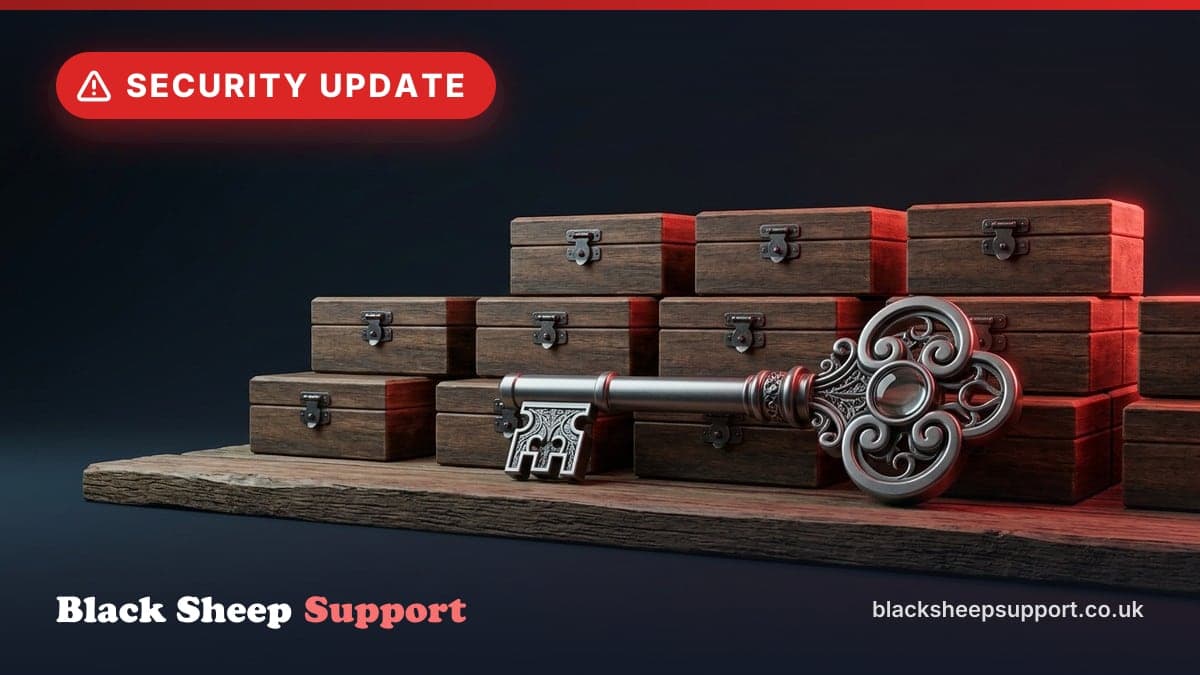
Most business owners think of security in terms of users: a person with a username and a password. However, modern cloud software uses 'Service Principals'. Think of these as a master key kept in a lockbox outside your office. You give your backup provider the code to that lockbox so they can come in at 2:00 am to do their work.
In this incident, the hackers did not guess your staff passwords. Instead, they broke into the backup provider's system and stole the master keys. Because these keys are designed to allow automated backups, they often have 'Global Reader' or 'Application.ReadWrite.All' permissions. This allowed the attackers to read every email in the organisation, download every file on SharePoint, and potentially create new accounts to maintain access even after the primary breach was discovered.
The cost of a tenant compromise
When a Microsoft 365 tenant is breached via a supply chain attack, the cleanup is not as simple as changing a few passwords. It requires a forensic look at what the 'master key' was used for while the hackers held it.
Consider a typical 50-person professional services firm in the UK. If their tenant is flagged as part of this ConnectWise breach, the recovery process usually looks like this:
- Audit and Discovery: An engineer must spend roughly 8 hours reviewing Entra ID (formerly Azure AD) logs to see which files were accessed or exported. At a standard rate of £150 per hour, this is an immediate cost of £1,200.
- Remediation: Revoking the compromised app identities, resetting administrative passwords, and checking for 'persistence' (backdoors the hackers might have created). This typically takes another 4 to 6 hours (£600 to £900).
- Reporting: Under GDPR, if personal data was accessed, the firm may have a legal obligation to notify the Information Commissioner's Office (ICO) within 72 hours. The legal and administrative time to manage this can easily exceed £2,000.
Total direct costs often land between £4,000 and £6,000, and that does not account for the reputational damage if you have to tell your clients that their sensitive contracts were exposed because of a flaw in your backup tool.
Identifying if your business is exposed
A pattern we see on most tenants we take on is the presence of 'ghost' applications, old backup tools, calendar integrators, or marketing plugins from previous providers that still have full administrative access to the data. Many businesses switch IT providers or software but never revoke the digital keys they gave the old ones.
To check your own exposure, someone with administrative access needs to look into the Microsoft Entra admin centre.
- Navigate to Identity > Applications > Enterprise applications.
- Search for 'ConnectWise', 'SkyKick', or any other backup provider you have used in the last five years.
- Check the 'Permissions' tab for each. If you see 'FullAccess' or 'Global Admin' rights and you no longer use the service, it should be removed immediately.
Practical steps to secure your Microsoft 365 tenant
If you are concerned about supply chain risks, you should prioritise these three actions:
- Audit your Service Principals: Review every third-party application that has 'Write' or 'Admin' access to your tenant. If you do not recognise it or do not use it daily, delete it.
- Enable Audit Logging: Ensure 'Unified Audit Logs' are turned on in your Microsoft 365 Purview centre. Without these, if a breach happens, you will have no way of knowing which files the hackers actually stole.
- Review Backup Permissions: If your backup tool requires 'Global Admin' to function, ask why. Modern, secure backup solutions often use 'Least Privilege' models where they only have the specific permissions needed to read data, not to manage your entire user base.
The regulatory dimension for UK businesses
The National Cyber Security Centre (NCSC) has recently increased its focus on supply chain security. For businesses aiming for Cyber Essentials or Cyber Essentials Plus, managing third-party software is a core requirement. Under the 'Software Management' pillar, you are expected to know what software is running and ensure it is supported and secure.
If a breach occurs through a third-party tool like ConnectWise, the ICO will look at whether you exercised 'due diligence' in choosing that provider and whether you monitored their access. Simply saying "it was the software's fault" is rarely a sufficient defence under GDPR if the permissions granted to that software were unnecessarily broad.
Our take on the ConnectWise incident
This breach is a reminder that 'set and forget' is a dangerous mindset for cloud services. Backup is essential, but the tool you use to protect your data should not become the very thing that exposes it. We prefer backup solutions that use modern authentication methods and do not require permanent, high-level administrative roles. Security is about reducing the 'blast radius'; if one tool is compromised, it should not be able to take down your entire digital estate.
It is also a dry reminder that your IT environment is only as secure as the weakest link in your supply chain. We recommend a full review of your Microsoft 365 'Enterprise Applications' at least once a quarter to prune the permissions that are no longer needed.
Securing your Microsoft 365 environment
We help UK SMEs move away from legacy, high-risk configurations and into secure, modern environments. If you are worried that your current backup or IT setup has left 'ghost' permissions in your tenant, we can help you clean them up and implement a 'least privilege' model that keeps your data safe.
If you use ConnectWise or SkyKick and want an expert to verify your tenant is clean
and we will help you map out a security plan.
Not ready to talk yet? Run our free IT Health Check to assess your business risk and security posture. It takes about 30 to 60 minutes with one of our engineers on a Teams call, or 15 to 20 minutes on your own, with no commitment. We also handle hardware, broadband, mobile and networking to ensure your entire infrastructure is as resilient as your cloud setup.
Want this handled for you? See Cyber security services.
Based in Brighton or Hove? We are too: see IT support in Brighton.
Free, no sales call needed
Two free checks. Know where you stand.
Domain email check
Can someone send email pretending to be you? Is your real email landing in junk? Type your domain and find out in under a minute.
IT Health Check
A short set of questions that scores your security and business risk, and tells you what to fix first. 15 to 20 minutes on your own.