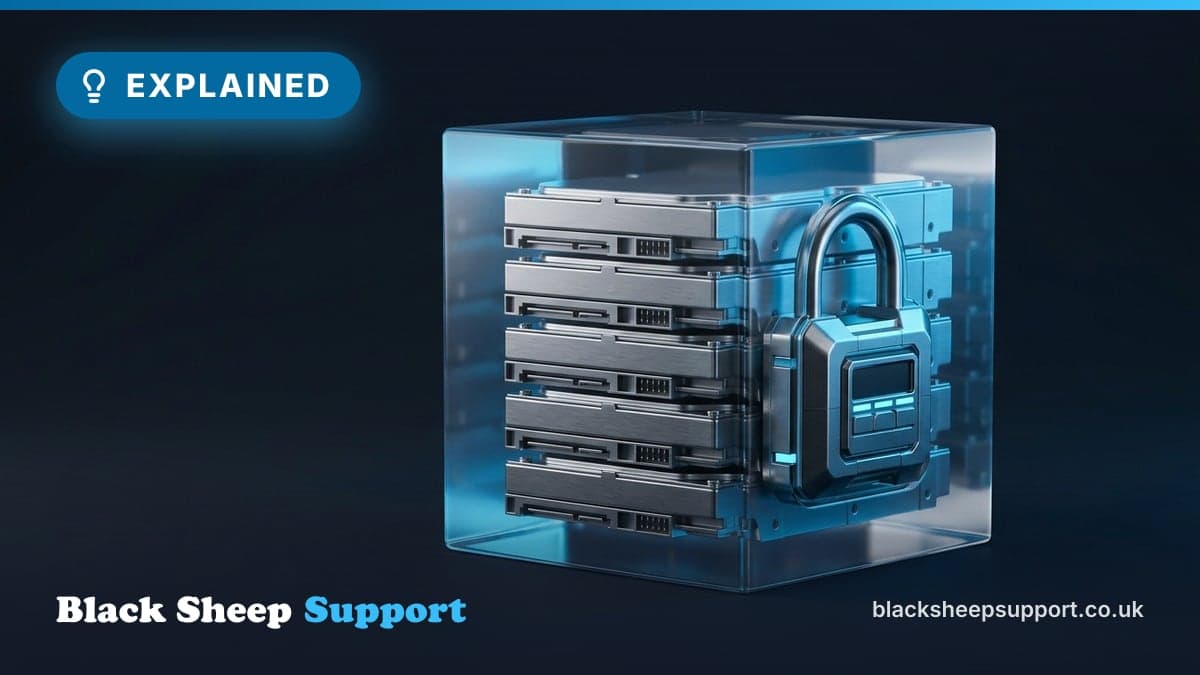
For many UK SMEs, the transition to Microsoft 365 (M365) feels like a digital safety net. You move your emails to Exchange Online, your documents to SharePoint, and your collaboration to Teams, operating under the assumption that because your data is in the "cloud," it is inherently protected. However, this is one of the most dangerous misconceptions in modern IT, often leading to a false sense of security. While Microsoft provides world-class infrastructure and high availability, they do not provide a comprehensive backup of your data. If you accidentally delete a vital client contract, suffer a ransomware attack, or have a disgruntled employee wipe their mailbox, the "native" tools provided by Microsoft are often insufficient to recover that data. As a UK-based managed IT provider, we see this gap in understanding lead to significant data loss far too often. This guide explores the "Shared Responsibility Model," the limitations of M365’s native recovery tools, and why an independent, third-party backup is the only way to ensure your business continuity.
What "Microsoft 365 does not back up your data natively" actually means
The fundamental misunderstanding stems from a confusion between service uptime and data protection. Microsoft operates under a Shared Responsibility Model. In this model, Microsoft is responsible for the cloud infrastructure—the physical servers, the global data centres, and the core network that keeps the platform running. Their commitment is to the availability of the M365 services themselves. They work diligently to ensure that Exchange Online is accessible, SharePoint sites load, and Teams functions as expected.
However, you, the customer, are responsible for the data that lives within that infrastructure. Microsoft’s Service Level Agreement (SLA) is designed to ensure the service is running, not to guarantee that your specific files, emails, or chat histories are retrievable after a human error, a cyber attack, or a policy breach. If your data is corrupted, accidentally deleted, or maliciously removed, Microsoft generally considers that a user-side issue. They provide some tools for short-term, limited recovery, but these are not backups in the industry-standard sense of the word, which typically implies a separate, recoverable copy of data held for a defined period.
Why it matters for UK SMEs
Ignoring the need for independent M365 backups is not merely a technical oversight; it presents significant commercial, operational, and regulatory risks for UK SMEs.
Commercial and Operational Impact
Beyond the immediate frustration of lost files, the commercial impact of data loss can be substantial. Imagine losing a quarter's worth of client emails, critical project documents, or historical financial records. This directly translates to lost productivity, missed deadlines, reputational damage, and potentially legal disputes. Operational downtime, even for a few days, can cripple a small business, leading to lost revenue and a struggle to regain customer trust. Recovery from a data loss event, when relying solely on native M365 tools, is often a complex, time-consuming, and frequently incomplete process, wasting valuable staff time and diverting resources from core business activities.
Compliance and the ICO
Under the UK General Data Protection Regulation (UK GDPR) and the Data Protection Act 2018, you are legally responsible for the personal data you hold. This includes customer details, employee records, and any other sensitive information. Article 32 of the UK GDPR mandates that organisations implement "appropriate technical and organisational measures" to ensure a level of security appropriate to the risk. This explicitly includes "the ability to restore the availability and access to personal data in a timely manner in the event of a physical or technical incident."
If you suffer a data breach or lose access to sensitive customer information because you lacked a proper backup, the Information Commissioner’s Office (ICO) may hold you accountable. Relying on "Microsoft has it covered" is simply not a valid defence in the eyes of a regulator. Demonstrating that you have robust, independent backups is a key component of proving you have taken "appropriate technical and organisational measures" to secure personal data. Non-compliance can lead to significant fines, which for an SME, can be business-ending.
Cyber Essentials and NCSC Best Practice
The UK government-backed Cyber Essentials scheme is the recognised benchmark for SME cyber security. One of the core pillars of this certification is the maintenance of secure, reliable backups. The NCSC (National Cyber Security Centre), which oversees Cyber Essentials, consistently recommends comprehensive backup strategies as a fundamental defence against cyber threats like ransomware. Their guidance emphasises that backups should be stored separately from live data and tested regularly. A third-party M365 backup solution aligns directly with these principles, providing the necessary separation and resilience that native tools often lack. Achieving or maintaining Cyber Essentials certification is often a requirement for tendering for government contracts or for demonstrating due diligence to larger clients.
The Illusion of the Recycle Bin: Why Native Tools Fail
Many businesses mistakenly rely on the M365 Recycle Bin, "Version History," or basic retention policies as their de facto backup strategy. While these features are useful for recovering a file you deleted five minutes ago, they are not a substitute for a true backup solution designed for disaster recovery.
Limitations of Native Retention Policies
Microsoft’s native retention policies are often misunderstood. They are designed to manage data lifecycle—keeping items for a set period before purging them to save space or to meet compliance requirements—not primarily to protect against accidental or malicious loss. They are part of data governance, not a comprehensive backup.
- Time-Limited Recovery: Once an item is purged from the Recycle Bin (both first and second stage), or falls outside a configured retention policy, it is gone forever. This window is typically 14-93 days for most items, which is insufficient for many recovery scenarios.
- Administrative Overwrite: If a malicious actor gains access to your admin account, they can easily change retention policies or delete items in the second-stage recycle bin, effectively wiping your data across the entire tenant. Such actions are often irreversible using native tools.
- Granular Restoration Challenges: Native tools often lack the ability to perform precise, point-in-time restores of specific items or mailboxes to their original state. If a user deletes a folder containing thousands of emails, restoring that data to its exact state an hour before the deletion using native tools can be a complex, time-consuming, and often incomplete process. Trying to restore an entire SharePoint site to a specific point in time without affecting other parts of the tenant is also problematic.
- No Protection Against Data Corruption: If data becomes corrupted (e.g., due to a syncing error or a malware infection), native versioning might only offer corrupted versions, as it doesn't separate the 'clean' data from the 'live' corrupted data effectively.
The Threat Landscape: Why UK SMEs are Targets
Cyber security is not just a concern for multinational corporations; UK SMEs are increasingly the primary targets for cybercriminals. Phishing attacks, business email compromise (BEC), ransomware, and malicious insider threats are daily realities.
Ransomware and M365
Ransomware has evolved significantly. It no longer just targets your local PC; it actively targets your cloud environment. If a user on your network syncs their OneDrive to a laptop that becomes infected with ransomware, that malware can encrypt the local files. Due to the nature of cloud sync, these encrypted, "locked" versions of your files are then synced back to the cloud, overwriting your clean versions in OneDrive or SharePoint. Native version history might offer a limited window to revert, but if the infection persists or goes unnoticed for a period, all recoverable versions might also be encrypted. A dedicated M365 backup, stored independently, provides an immutable copy safe from such synchronised encryption.
Insider Threats
While external threats dominate headlines, internal risks are equally potent. A disgruntled employee with appropriate access could intentionally delete critical data from SharePoint, empty mailboxes, or wipe Teams chat histories. Native tools, designed for user convenience, can sometimes be circumvented by an insider with administrative privileges. An independent backup provides an audit trail and an external recovery point, even if the internal system has been compromised or purged.
How to Build a Resilient Recovery Strategy for Microsoft 365
A robust backup strategy is not a "set and forget" task. It requires a structured approach that aligns with your business's Recovery Time Objective (RTO) and Recovery Point Objective (RPO).
1. Define Your RTO and RPO
Before you even consider solutions, understand what your business needs.
- Recovery Time Objective (RTO): How quickly can your business afford to be without critical data or systems? Is it hours, a day, a week?
- Recovery Point Objective (RPO): How much data can your business afford to lose? Is it an hour's worth, a day's worth? This dictates backup frequency. These objectives will inform the type of backup solution and strategy you need.
2. Audit Your Critical Data
Identify which data is truly business-critical. While emails (Exchange Online), documents (SharePoint, OneDrive), and Teams files are obvious, don't overlook other M365 components. This includes Teams chats, Planner tasks, OneNote notebooks, M365 Groups, and SharePoint site metadata. A comprehensive backup solution should cover all these elements.
3. Implement an Independent Backup Solution
This is the cornerstone. Use a dedicated M365 backup tool that provides an "off-tenant" copy of your data. This ensures that even if your primary M365 environment is locked out, compromised by ransomware, or accidentally purged, your data exists in an independent, secure repository. Look for solutions that offer:
- Immutability: The backup must be stored in a way that cannot be altered or deleted by a hacker, even if they gain admin credentials to your M365 tenant.
- Air-Gapped/Off-Platform: Your backup should ideally reside on a different platform than the production data. If Microsoft’s service experiences a regional outage or your tenant is compromised, your backup remains safe and accessible.
- Granular Point-in-Time Restore: The ability to "rewind" specific mailboxes, files, or even individual Teams channels to the state they were in at a precise moment before a disaster occurred.
- Long-Term Retention: Ability to keep data for years if required for compliance or historical purposes, far beyond Microsoft's native limits.
4. Test Your Restores Regularly
A backup is only as good as its last successful restore. Far too often, we find businesses implement a backup solution but never test it until a disaster strikes, only to discover it wasn't configured correctly or has failed silently. We recommend that SMEs conduct "recovery drills" at least twice a year. Try to restore a specific folder, a mailbox, or a SharePoint document library to an alternative location. This ensures the process works as expected and that your team knows how to execute it under pressure. From our service desk data, the most common cause of failed recovery efforts in UK SMEs is untested backup processes.
5. Enforce Multi-Factor Authentication (MFA)
Backups protect your data, but MFA protects your access. Ensure that all user accounts, and especially administrative accounts (those with the power to modify backup settings, delete users, or change policies), are protected by robust, hardware-based or app-based MFA. Without MFA, a compromised password can grant an attacker full access to your M365 environment, potentially allowing them to delete data or even disable your backup solution. On a recent client tenant audit for a 60-user Surrey-based logistics firm, we found 12 out of 15 administrative users had no MFA enrolled, a significant security gap.
6. Review and Update Your Strategy
Your business and its data needs evolve. Your backup strategy should too. Regularly review your RTO/RPO, audit your critical data, and ensure your backup solution continues to meet your requirements. This isn't a one-time project; it's an ongoing commitment to resilience.
Common mistakes we see
Based on our experience supporting UK SMEs, several recurring errors undermine M365 data protection efforts:
- Blind Trust in Microsoft: Assuming that because data is in the "cloud," Microsoft handles all aspects of backup and recovery.
- Untested Backups: Implementing a backup solution but never performing a test restore to verify its functionality or the team's ability to use it.
- Inadequate Scope: Only backing up Exchange Online and SharePoint, neglecting critical data in Teams chats, Planner, or M365 Groups.
- No MFA on Admin Accounts: Leaving administrative M365 accounts unprotected by Multi-Factor Authentication, making it easy for an attacker to compromise the entire tenant and potentially delete backups.
- Confusing Archiving with Backup: Using M365 archiving or retention policies for compliance as a substitute for a true, point-in-time recovery backup solution.
Key Takeaways
- Microsoft is not responsible for your data: They provide the infrastructure and service availability; you are the custodian of your content.
- Native M365 tools are not comprehensive backups: Recycle bins and retention policies are designed for data management, not disaster recovery.
- Ransomware is a cloud threat: Malware can propagate through M365 syncing services, encrypting or destroying your cloud data.
- Compliance is mandatory: UK GDPR requires you to protect personal data; a lack of robust backups can lead to regulatory scrutiny and fines from the ICO.
- An independent, third-party backup is essential: It provides immutable, off-platform copies of your data, offering true resilience and granular recovery capabilities.
- Test your backups regularly: A backup that hasn't been tested is merely a hope; verify your recovery capability to ensure genuine business continuity.
Protecting your digital assets is a fundamental requirement for any modern UK business. By moving beyond the false sense of security provided by native M365 tools and implementing a professional, third-party backup strategy, you secure your business against the inevitable risks of the digital age. Frankly, betting your business on Microsoft's good intentions for your specific files rather than your own comprehensive strategy is an unnecessary gamble.
When to call in help
For many UK SMEs, navigating the nuances of M365 backup, understanding RTO/RPO, selecting the right third-party solution, and then implementing and regularly testing it can feel like a significant undertaking. If your internal IT resources are stretched, or if you lack the specific expertise in M365 data protection, engaging with a managed IT and cyber security provider is a sensible step. We can assess your current M365 setup, identify critical data, recommend and implement an appropriate backup solution, and help you establish a robust testing regime, ensuring your business is genuinely resilient.
To take the next step
Based in Brighton or Hove? We are too: see IT support in Brighton.
Free, no sales call needed
Two free checks. Know where you stand.
Domain email check
Can someone send email pretending to be you? Is your real email landing in junk? Type your domain and find out in under a minute.
IT Health Check
A short set of questions that scores your security and business risk, and tells you what to fix first. 15 to 20 minutes on your own.