In this guide
The problem: email was built without a way to prove who sent it
The email system that every business runs on was designed in the early 1980s, and it has no built-in check that the name in the "From" field is telling the truth. Anyone with a mail server can put your domain on an outgoing message. Unless your domain publishes records that say otherwise, receiving servers have no way to know it is fake.
That is not a theoretical weakness. It is the mechanism behind the most expensive category of cybercrime reported to the FBI: business email compromise, which cost victims $2.77 billion across 21,442 reported cases in 2024 (FBI Internet Crime Report 2024). Phishing was the most reported crime of all, with 193,407 complaints. In the UK, the government's Cyber Security Breaches Survey 2025/26 found that 43% of businesses identified a breach or attack in the last year, and phishing was involved in 85% of them.
The attacks that start with a spoofed domain:
| Attack | What happens | Who loses |
|---|---|---|
| Invoice fraud | A customer receives an email "from you" with new bank details. They pay the criminal. | Your customer, then your relationship with them. |
| Internal phishing | Staff receive a message "from HR" or "from IT" asking them to log in or approve a payment. | You: a stolen password, a fraudulent transfer. |
| Director impersonation | Finance gets an urgent "from the MD" request for a transfer or payroll data. | You, and sometimes the finance person's job. |
| Reputation damage | Thousands of scam emails go out under your name; your domain ends up on blocklists and your real email stops arriving. | Your deliverability, for months. |
None of these requires the attacker to break into anything of yours. That is why the fix is not "better passwords"; it is telling the world's mail servers how to recognise the real you.
The three records, and what each one does
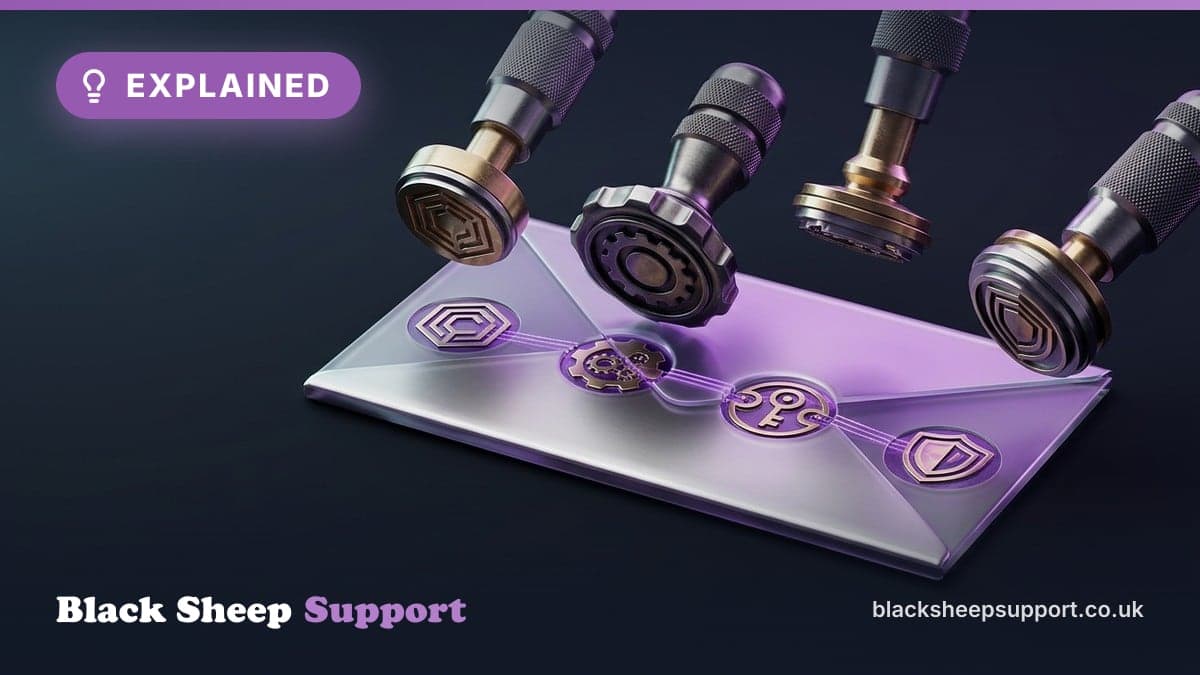
SPF, DKIM and DMARC are DNS records on your domain. Together they let any receiving mail server answer one question: "is this message really from this domain?"
| Record | Plain-English job | What it actually is | Without it |
|---|---|---|---|
| SPF (Sender Policy Framework) | The guest list. Which servers may send email for your domain. | A TXT record listing your mail platform (for Microsoft 365, spf.protection.outlook.com), your newsletter tool, your CRM, your accounting software, ending in -all. | Any server can claim to be you and SPF cannot say otherwise. |
| DKIM (DomainKeys Identified Mail) | The wax seal. A cryptographic signature on every message proving it left your systems and was not altered. | A public key published in DNS (for Microsoft 365, two CNAME records) and a private key your mail platform signs with. | Messages can be tampered with in transit, and forged messages look no different from real ones. |
| DMARC (Domain-based Message Authentication, Reporting and Conformance) | The bouncer. Tells receivers what to do when SPF or DKIM fails, and sends you reports about who is sending as you. | A TXT record at _dmarc.yourdomain with a policy: none (just report), quarantine (send to spam) or reject (refuse). | SPF and DKIM failures are advisory. Receivers may still deliver the forgery. |
The part most businesses miss: SPF and DKIM on their own do very little. They give receivers evidence; DMARC is the instruction to act on it. A domain with SPF and DKIM but no DMARC, or DMARC set to "none", is still spoofable, which is why our audit caps the overall score by the DMARC policy however good the other two records are.
The common mistakes
- SPF that lets everything through. A record ending in +all or ?all, which authorises the entire internet and which our audit scores as zero. Or one that has grown past the limit of 10 DNS lookups, at which point receivers ignore it entirely.
- Forgotten senders. The CRM, the invoicing platform, the newsletter tool and the website's contact form all send as your domain. If they are not in SPF and not signing with DKIM, DMARC will eventually block your own mail.
- DKIM never enabled. Microsoft 365 does not sign with your domain until the CNAME records are added and DKIM is switched on in the admin centre.
- DMARC at p=none forever. Reporting mode is the right place to start and the wrong place to stay.
- Unused domains left open. The old brand, the .com you bought defensively: if they can receive email, they can be spoofed. They need an SPF record that authorises nothing (v=spf1 -all) and DMARC at reject too.
Not sure which of these applies to your business? Ask an engineer.
Book a discovery callWhy this stopped being optional
Two things changed in the last two years.
The big mailbox providers now require it. Since February 2024, Google and Yahoo require anyone sending 5,000 or more messages a day to their users to have SPF and DKIM, a DMARC record (at least p=none) and aligned authentication. Microsoft followed on 5 May 2025 for senders of 5,000+ messages a day to Outlook.com, Hotmail and Live: non-compliant mail goes to junk, then gets rejected. Most small businesses do not send 5,000 a day, but the same providers apply the same signals to everyone's reputation, and every marketing platform you use is subject to the rules when it sends on your behalf.
Insurers, customers and Cyber Essentials ask about it. Cyber insurance questionnaires routinely ask whether DMARC is enforced. Supplier security questionnaires ask. It appears in the guidance for Cyber Essentials' email controls. Our own domain security audit is used by businesses checking their suppliers as much as by businesses checking themselves.
And the attackers moved first. Spoofing an unprotected domain costs nothing and is automated. A domain at DMARC reject is simply not worth their time; they move to the next one.
Check your domain, and how our audit scores it
Run the free domain security audit. It looks up your SPF, DKIM and DMARC records, your mail provider, your SSL certificate, your registrar and domain expiry, and whether your domain appears on blocklists. The score out of 100 comes from the three email records only; the rest is reported alongside.
This is exactly how the score is built, taken from the tool's own logic, so you can read your result rather than guess at it.
The three records each earn up to a third
| Record | Starts at | What changes it | Pass / warning / fail |
|---|---|---|---|
| SPF | 33 | Zero if there is no record, more than one SPF record at the top level, or a +all / ?all anywhere in the include chain (the whole internet is authorised). Minus 10 for more than 10 DNS lookups (receivers stop evaluating), for stray text after the all mechanism, and for a strict -all (it breaks legitimate forwarding; ~all is the standard configuration). | Pass at 25+, warning above 10, fail otherwise |
| DMARC | 33 | p=reject keeps all 33. p=quarantine scores 15. p=none scores 0. A pct below 100 scales the score down in proportion. If the subdomain policy (sp=) is weaker than the main policy, the weaker one counts. More than one DMARC record, or an invalid pct, scores 0. | Pass at 25+, warning above 10, fail otherwise |
| DKIM | 0 | A valid record on a common selector earns 15; a 2048-bit key adds 19, a 1024-bit key adds 7, a weak key adds nothing; strict mode (t=s) adds 4. Capped at 34. | Pass at 25+, warning above 10, fail otherwise |
One honesty note on DKIM: selectors cannot be discovered from DNS, so the audit probes a list of common ones (including Microsoft 365's and Google's). If it finds nothing it reports "DKIM could not be verified" as a warning rather than a failure, because large brands often use custom selectors. Zero points are awarded either way, so if you know your selector and the audit shows a warning, that is a signal to check DKIM is actually enabled, not proof that it is broken.
Then DMARC caps the total
The three scores are added, and the total is then capped by your DMARC policy, because without enforcement SPF and DKIM are evidence nobody acts on:
| DMARC policy | Maximum possible score |
|---|---|
| No DMARC record | 30 |
| p=none (monitoring only) | 40 |
| p=quarantine | 80 |
| p=reject | 100 |
So a domain with perfect SPF and a 2048-bit DKIM key but no DMARC record scores 30. The same domain at p=none scores 40. That is not the tool being harsh; it is the tool telling the truth about whether the domain can be spoofed today.
Reading a typical result
- Score in the 30s or 40s, SPF pass, DKIM pass: the records exist, DMARC is missing or at none. The fix is the DMARC ramp described below, and it is the single biggest jump available.
- Score around 60 to 80: DMARC is at quarantine. Forgeries go to spam. Moving to reject, once the reports are clean, takes you to the top.
- SPF warning with "DNS limits exceeded": too many includes; receivers ignore the record entirely. Consolidate the senders.
- DMARC score lower than expected at reject: check pct= and sp=; a pct=50 or a permissive subdomain policy halves the credit.
The audit is also available as an API for partners and CRMs that want to check many domains, and every scan is recorded so a domain's posture can be tracked over time.
Want a second opinion before you buy licences?
We will look at your tenant, tell you who would actually benefit, and what needs fixing first. An engineer, not a salesperson.
Fixing it properly: the order that does not break your email
The danger in fixing email security is that a DMARC reject policy applied to a domain with a forgotten sender blocks your own invoices. The sequence that avoids it:
- Inventory every sender. Mail platform, marketing tool, CRM, accounting, helpdesk, website forms, printers and scanners, the third party that sends statements for you. This list is always longer than expected.
- Fix SPF to include exactly those senders, within the 10-lookup limit, ending in ~all. (A strict -all is defensible but breaks legitimate forwarding, which is why our audit scores ~all as the standard configuration.)
- Enable DKIM on the mail platform and on every third-party sender that supports it (most do). Use 2048-bit keys where offered.
- Publish DMARC at p=none with reporting (the rua address) and wait. Two to four weeks of reports show every source sending as your domain, legitimate and not.
- Fix what the reports show: the senders you missed, the platform signing with its own domain instead of yours.
- Move to p=quarantine, optionally with pct= to ramp, then to p=reject. Apply the same to subdomains (sp=) and to unused domains.
- Keep watching. New tools get added, keys rotate, a marketing agency starts sending. Without monitoring, a domain drifts back to broken in months.
Step 4 is where a plain DNS change becomes a project, because DMARC reports arrive as XML attachments, dozens a day, from every receiving provider. Nobody reads them by hand. That is what monitoring is for.
DMARC monitoring: why the record is only half the job
A DMARC record tells receivers what to do. DMARC reports tell you what is happening: which servers sent mail as your domain, how much, and whether it passed SPF and DKIM. They are the only view you have of attempted spoofing and of your own senders drifting out of alignment.
We run a DMARC monitoring service that receives those reports for your domain, parses them and turns them into something readable: every source sending as you, the volumes, pass and fail rates, and a flag when a new source appears or a known one starts failing. In practice that means:
- A safe path to reject. You can see exactly which legitimate senders would be blocked before you tighten the policy.
- Early warning of impersonation. A spike in failing mail from an unfamiliar country is a spoofing campaign in progress, and you find out from the report rather than from an angry customer.
- Catching your own drift. The new CRM someone signed up for, the newsletter platform that rotated its DKIM key: visible in the reports the day it starts, not when invoices start bouncing.
- Evidence. For insurers, auditors and Cyber Essentials, a report showing DMARC enforced and monitored.
Monitoring is included for our managed clients and available on its own for businesses that just want their email security looked after. The domain audit page explains how to point your reports at us.
Want a second opinion before you buy licences?
We will look at your tenant, tell you who would actually benefit, and what needs fixing first. An engineer, not a salesperson.
Beyond the three records
SPF, DKIM and DMARC stop other people sending as your domain. They do not stop every email threat, and it is worth being clear about what else a business needs:
- Lookalike domains. Criminals register yourcompany-ltd.co.uk or replace an l with a 1. DMARC on your domain does nothing about that; staff awareness, Defender for Office 365's impersonation protection and, for some businesses, defensive registrations do.
- Compromised accounts. If an attacker steals a real password and sends from your real mailbox, every record passes. That is what MFA and Conditional Access are for; see our Microsoft 365 licensing and security guide.
- Inbound filtering. Your own records protect other people from fake you. Protecting your staff from fake everyone-else is inbound filtering: Exchange Online Protection on every plan, Defender for Office 365 on Business Premium.
- BIMI, the logo-in-the-inbox standard, requires DMARC at enforcement and a verified mark certificate. Nice to have; not a security control.
How Black Sheep Support helps
Email security is the first thing we fix for a new client, because it is the highest-impact change for the least money and it protects your customers as well as you. The engagement is short:
- Audit. The free domain check, then a full inventory of senders and domains, including the ones you forgot you own.
- Fix. SPF within limits, DKIM on every sender, DMARC published with reports coming to our monitoring.
- Ramp. From none to quarantine to reject, on the evidence, without blocking your own mail.
- Monitor. Ongoing DMARC reporting, alerts on new sources and failures, and a quarterly check that nothing has drifted.
We do this for businesses that are not otherwise clients, and it is often how the relationship starts. If you would rather see where you stand first, run the audit.
Want a second opinion before you buy licences?
We will look at your tenant, tell you who would actually benefit, and what needs fixing first. An engineer, not a salesperson.
Frequently asked questions
What is DMARC in simple terms?
A DNS record that tells receiving mail servers what to do with email claiming to be from your domain that fails the SPF and DKIM checks: deliver it anyway (none), send it to spam (quarantine) or refuse it (reject). It also asks receivers to send you reports of who is sending as your domain.
Do I need all three of SPF, DKIM and DMARC?
Yes. SPF and DKIM give receivers the evidence; DMARC is the instruction to act on it and the reporting that lets you see what is happening. Any one on its own leaves the domain spoofable.
Will DMARC block my own emails?
Only if you enforce it before every legitimate sender is in SPF or signing with DKIM. Start at p=none with reporting, fix what the reports show, then move to quarantine and reject. That sequence is the whole point of monitoring.
Does Microsoft 365 set this up automatically?
Microsoft 365 adds SPF for its own servers when you set up the domain, but DKIM must be enabled by adding CNAME records and switching it on, and DMARC is never created for you. Third-party senders such as your CRM or newsletter tool need adding separately.
What do Google, Yahoo and Microsoft require?
For senders of 5,000 or more messages a day to their consumer mailboxes, SPF, DKIM, a DMARC record of at least p=none and aligned authentication. Google and Yahoo have required this since February 2024; Microsoft since 5 May 2025. Smaller senders are not exempt from the reputation effects, and marketing platforms sending on your behalf are covered.
How long does it take to get to DMARC reject?
Typically four to eight weeks: a week to inventory and fix SPF and DKIM, two to four weeks at p=none reading reports, then quarantine and reject once the reports are clean.
What are DMARC reports and do I need monitoring?
Daily XML files from every receiving provider listing who sent mail as your domain and whether it passed. They are unreadable by hand in any volume. Monitoring parses them, shows you the sources, and alerts you to new or failing ones. It is how you move to reject safely and how you notice a spoofing campaign.
Does DMARC stop lookalike domains?
No. DMARC protects your exact domain. A criminal registering a similar-looking domain needs staff awareness, inbound impersonation protection and, for some businesses, defensive registrations.
How do I check my domain?
Run the free domain security audit on this site. It checks SPF, DKIM, DMARC, your mail provider, SSL, registrar, expiry and blocklists, and explains each result.
Get your email security fixed, and kept fixed
Run the free audit, then talk to an engineer about closing the gaps and moving to DMARC reject without blocking your own mail. We will set it up, ramp it safely and monitor the reports.
- What your domain's records say today and what an attacker could do with them.
- Every sender that needs to be in SPF and signing with DKIM, including the ones you forgot.
- A timeline to DMARC reject and what monitoring looks like afterwards.
- Whether the rest of your email protection (inbound filtering, MFA) needs attention too.
Sources
Prices and product facts on this page were checked against the following Microsoft pages on the dates shown.
- 1.FBI Internet Crime Complaint Center: 2024 Internet Crime Report (BEC $2.77bn, 21,442 complaints; phishing 193,407) · accessed 10 September 2026
- 2.GOV.UK: Cyber Security Breaches Survey 2025/2026 (43% of businesses; phishing in 85% of breaches) · accessed 10 September 2026
- 3.Microsoft Tech Community: Outlook's new requirements for high-volume senders (5 May 2025) · accessed 10 September 2026
- 4.Google: Email sender guidelines (bulk sender requirements from February 2024) · accessed 10 September 2026
- 5.Microsoft Learn: Email authentication in Microsoft 365 (SPF, DKIM, DMARC setup) · accessed 10 September 2026
What has changed on this page
- 13 October 2026Search title and description shortened.
- 10 September 2026Page published. Statistics from the FBI IC3 2024 report and the UK Cyber Security Breaches Survey 2025/26; sender requirements from Google, Yahoo and Microsoft as in force since May 2025.
Free, no sales call needed
Two free checks. Know where you stand.
Domain email check
Can someone send email pretending to be you? Is your real email landing in junk? Type your domain and find out in under a minute.
IT Health Check
A short set of questions that scores your security and business risk, and tells you what to fix first. 15 to 20 minutes on your own.
More guides
Related reading
IONOS SPF Record: The Correct Include and the Mistakes That Break It
Brighton Top 10 Hotels - Email Security Scores
Hackers Are Using AI to Make Phishing Emails Smarter – What Businesses Need to Know
Why UK businesses face more phishing attacks than ever
Game, Set, Match: How Wimbledon's Email Security Could Drop the Ball - IT Support
Why you need email filtering beyond basic spam protection
Business Email Compromise (BEC): The most expensive cyber threat

How to set up DMARC enforcement without breaking your email
What DMARC, DKIM and SPF actually do