In the rapidly evolving landscape of UK cyber security, business owners and IT managers are often overwhelmed by the sheer volume of threats and the complexity of modern defence tools. How do you know if your Microsoft 365 environment is actually secure? How do you measure your posture against industry standards? Enter Microsoft Secure Score: a powerful, centralised dashboard that acts as a barometer for your organisation’s security health. For SMEs, it is not just a metric; it is a roadmap for reducing risk and aligning with UK regulatory requirements like GDPR and Cyber Essentials. Understanding and acting on this score is one of the most effective ways to harden your defences against the rising tide of ransomware and phishing attacks targeting British businesses.
What Microsoft Secure Score actually means
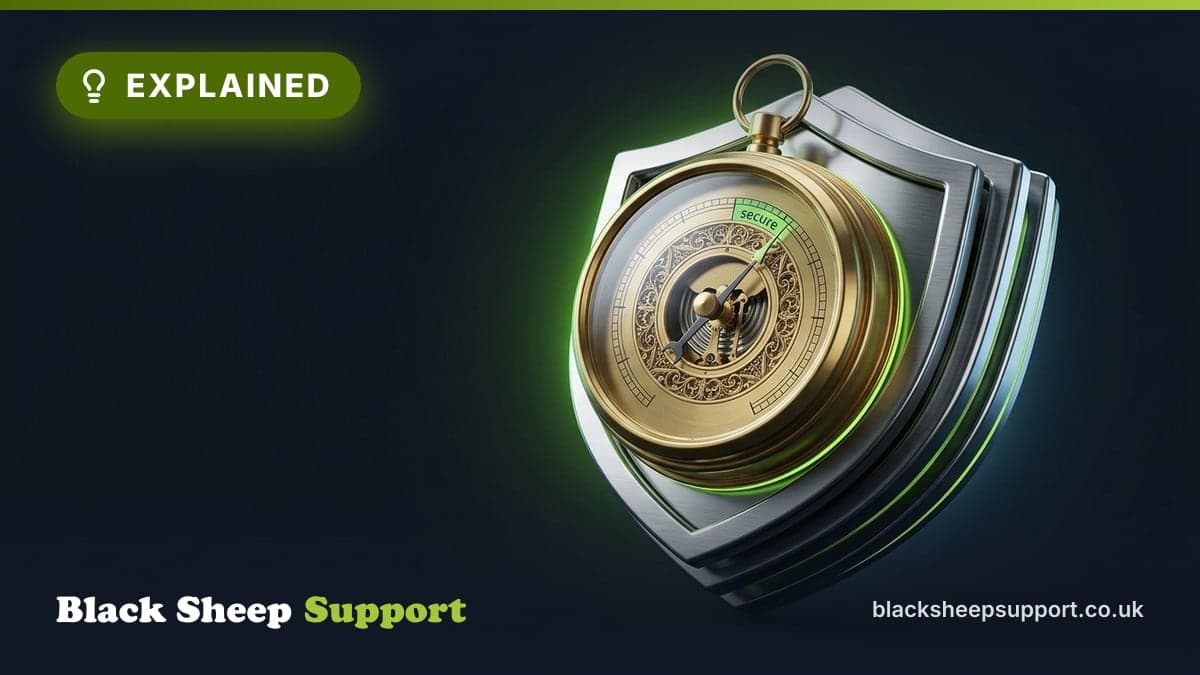
Microsoft Secure Score is a security analytics tool built directly into the Microsoft 365 Defender portal. It provides a numerical representation of your current security posture by measuring your implementation of recommended security best practices.
Think of it as a credit score for your IT environment. Just as your financial credit score tells lenders how likely you are to repay a loan, your Secure Score tells you—and your IT partner—how resilient your business is against a cyberattack. The score is dynamic; it updates based on your actions, changes in the threat landscape, and new recommendations from Microsoft. Every recommendation you implement, such as enforcing Multi-Factor Authentication (MFA) or restricting legacy authentication protocols, adds points to your score. The goal is not necessarily to reach 100%, but to consistently improve your score to close the gaps that hackers are most likely to exploit.
The dashboard tracks your progress across five key categories:
- Identity: Protection of user accounts and credentials. This includes MFA, password policies, and blocking legacy authentication.
- Data: Governance and protection of sensitive information, focusing on data loss prevention and information protection policies.
- Devices: Security controls for laptops, desktops, and mobile phones, encompassing anti-malware, encryption, and patch management.
- Apps: Security configuration for email and collaboration tools like Exchange Online and SharePoint, addressing issues such as anti-phishing policies and secure sharing settings.
- Infrastructure: Security settings for your cloud environment, often relating to Azure resources and their configuration.
Why it matters for UK SMEs
Many clients ask us, "What is a good score?" The honest answer is that a "good" score is one that is higher today than it was yesterday. There is no industry-standard "passing grade" mandated by the Information Commissioner’s Office (ICO). However, we generally advise our clients to aim for a score that reflects a robust security baseline. An SME with a score below 30% is likely leaving the "front door" of their business wide open to automated attacks. A score between 50% and 70% typically indicates that you have implemented the foundational layers of security, such as MFA and basic conditional access policies.
It is important to remember that Microsoft Secure Score is a guide, not a perfect measurement. A high score does not make you "unhackable." Rather, it demonstrates that you have taken the proactive steps recommended by Microsoft to reduce your attack surface. Focus on the actions that drive the score up rather than the number itself.
Aligning with UK GDPR
For UK SMEs, Microsoft Secure Score serves as a vital bridge to compliance. Under the UK GDPR, businesses are required to implement "appropriate technical and organisational measures" to secure personal data. This is not merely a suggestion; it is a legal obligation. If a data breach occurs, the ICO will scrutinise the steps your organisation took to prevent it. A demonstrably improving Secure Score provides tangible evidence of your commitment to data protection, showing that you are actively working to mitigate risks to personal data held within your Microsoft 365 environment. Failing to implement readily available security controls, particularly those highlighted by Secure Score, could be viewed as a lapse in your duty of care, potentially leading to significant fines and reputational damage.
Meeting Cyber Essentials requirements
The UK government’s Cyber Essentials scheme is often considered the foundational standard for SME security. Many of the controls required to achieve Cyber Essentials certification directly correlate with actions in your Microsoft Secure Score. For instance, secure configuration, access control, malware protection, and patch management are all core components of both Secure Score recommendations and Cyber Essentials requirements. By systematically working through your Secure Score recommendations, you are essentially "pre-flighting" your business for Cyber Essentials accreditation. This not only strengthens your defences but also helps you meet supplier mandates, as many larger organisations now require their supply chain partners to hold Cyber Essentials certification.
Mitigating common cyber threats
Most ransomware and phishing attacks succeed not because of advanced state-sponsored hacking, but because of simple configuration failures or human error. According to the National Cyber Security Centre (NCSC), the majority of successful attacks exploit known vulnerabilities or poor identity management. Secure Score highlights these exact weaknesses, allowing you to patch them before a criminal actor finds them. For example, enforcing MFA and blocking legacy authentication are two of the highest-impact actions you can take to prevent credential theft, which is a primary vector for ransomware. Addressing these points proactively can significantly reduce your organisation’s susceptibility to the most prevalent and damaging cyber threats targeting UK businesses.
Demonstrating a responsible security posture
Beyond compliance, a strong Secure Score demonstrates a responsible approach to your digital assets. This can be critical when seeking cyber insurance, as insurers are increasingly requesting evidence of security controls. A proactive stance also builds trust with clients and partners, reassuring them that their data and your shared digital interactions are handled with due care. In a competitive market, this can be a subtle but important differentiator.
How to improve your Secure Score, a practical walkthrough
Improving your Secure Score should be a structured process, not a frantic "check-the-box" exercise. At Black Sheep Support, we recommend a phased approach, focusing on impact and practicality.
1. Prioritise High-Impact Actions
The Secure Score dashboard lists actions with a "Points Achieved" vs. "Points Possible" breakdown. Focus on the items that provide the highest point value with the lowest impact on user productivity. Enabling Multi-Factor Authentication (MFA) for all users is usually the highest-value action you can take, often contributing a significant portion of your total score. Other immediate wins include blocking auto-forwarding rules to external domains and ensuring all users have strong password policies enforced.
On a recent client tenant audit for a Surrey-based logistics firm with 25 staff, we found that 18 out of 25 users had no MFA enrolled. This single oversight left their entire email system vulnerable to common phishing attacks. Implementing MFA for those users immediately boosted their Secure Score by over 40 points and significantly reduced their exposure.
2. Implement Conditional Access Policies
Conditional Access is the "brain" of your security. It allows you to set granular rules for accessing your Microsoft 365 resources. For example, you can require MFA when users are outside the office, block access from specific countries, or only permit logins from compliant, company-managed devices. Implementing these policies drastically reduces the risk of credential theft and immediately boosts your score. We typically start with basic policies like requiring MFA for all administrative roles and blocking legacy authentication, then expand to user-based policies as the organisation matures its security posture. Always use the "What If" tool in Conditional Access to test policies before deployment to avoid unintended lockout scenarios.
3. Review and Disable Legacy Authentication Protocols
Many older applications and some mobile email clients use "legacy authentication," which bypasses MFA. This is a significant security vulnerability. Disabling these protocols is a critical security win. Start by reviewing your sign-in logs to identify any applications or users still relying on legacy authentication. Once identified, work with those users or application owners to migrate to modern authentication methods. While this can sometimes require application updates or configuration changes, the security benefits far outweigh the inconvenience.
4. Regularly Review and Monitor Your Score
Security is not a "set it and forget it" task. As Microsoft updates its security recommendations, as new threats emerge, and as your business evolves, your score will fluctuate. Schedule a monthly or quarterly review with your IT team to assess new recommendations and ensure that your security configuration remains aligned with your business operations. Beyond the score itself, monitor the activity reports within Microsoft 365 Defender for any policy violations, suspicious login attempts, or unusual activity that might indicate a breach or configuration issue.
5. Cultivate User Awareness and Training
A high Secure Score is vital, but it is not a silver bullet. The human element remains the weakest link in many organisations' defences. Even with the best technical controls, a user clicking a malicious link or falling for a sophisticated phishing attempt can compromise your environment. Regular security awareness training, including simulated phishing exercises, is crucial. Educating your team on how to recognise threats and report suspicious activity complements your technical controls, creating a more comprehensive defence.
6. Manage Devices and Endpoint Security
The "Devices" category of Secure Score focuses on the security of your endpoints. This involves ensuring all company devices (laptops, desktops, mobile phones) are correctly configured. Key actions here include deploying anti-malware solutions, enforcing device encryption, keeping operating systems and applications patched, and setting up device compliance policies (e.g., requiring a PIN or passcode). Tools like Microsoft Intune (Endpoint Manager) are instrumental in managing and securing these devices, ensuring they meet your organisation's security baseline before they can access corporate resources.
Common mistakes we see
While striving for a high score is beneficial, there are traps that businesses often fall into:
- The "Check-Box" Mentality: Do not enable a security setting just to gain points if it breaks a critical business workflow. If a policy causes excessive friction, your employees will find ways to bypass it, which is worse for security than having no policy at all.
- Ignoring the "User Impact": Always assess how a new policy will affect your team. For example, enforcing strict device compliance might lock out a staff member who is using a personal tablet on a weekend. Always communicate changes to your staff beforehand and pilot policies with a small group.
- Lack of Monitoring: A policy is only as good as its enforcement. Ensure that you have alerts set up for when security policies are violated or when suspicious login attempts occur, otherwise a breach could go undetected.
- Chasing 100%: Aiming for a perfect score is often impractical and can lead to over-engineering security, causing unnecessary operational overhead. Focus on the most impactful actions that align with your risk profile, rather than obsessing over every single point.
- Forgetting External Factors: Secure Score provides a view of your Microsoft 365 environment. It does not cover your entire IT estate, such as on-premise servers, network infrastructure, or non-Microsoft cloud services. A holistic security strategy requires looking beyond this single dashboard.
Key Takeaways
- Secure Score is a roadmap, not a trophy: Use it to identify and prioritise security gaps, not just to chase a high number.
- Focus on the "Low-Hanging Fruit": Start by enabling MFA and Conditional Access; these provide the most significant protection for the least amount of effort.
- Compliance is a byproduct: By following the Microsoft framework, you are naturally aligning your business with UK GDPR requirements and the NCSC’s Cyber Essentials scheme.
- Context matters: Always test security configurations in a pilot group before rolling them out to the entire company to ensure business continuity.
- Security is an ongoing process: Your threat profile changes daily, so your security posture must be reviewed and updated regularly.
By leveraging tools like Microsoft Secure Score, you move from a reactive "firefighting" mode to a proactive, resilient security posture. While the technical details can be complex, the objective is simple: making it as difficult as possible for unauthorised parties to access your business data. For many UK SMEs, the path to better security starts with a clear understanding of where you stand today, even if getting there involves turning off a few things that have been running for years.
To take the next step
Want this handled for you? See Cyber security services.
Based in Brighton or Hove? We are too: see IT support in Brighton.
Free, no sales call needed
Two free checks. Know where you stand.
Domain email check
Can someone send email pretending to be you? Is your real email landing in junk? Type your domain and find out in under a minute.
IT Health Check
A short set of questions that scores your security and business risk, and tells you what to fix first. 15 to 20 minutes on your own.